What if it's the software that needs to adapt to the teacher?
AI makes it possible for teachers to build their own software. That changes what an educational resource is, what publishers should be selling, and what an IT department is for. And it raises a question most schools can't answer yet.
This article has been machine-translated into English. Therefore, there may be nuances or errors in the content. The Danish version is always up-to-date and accurate. Read the original Danish article here.
When I read about AI in the news and in articles, the technology is predicted to have a huge impact on our education system, both on what we teach and how we do it. In that context, the question of teaching with and without AI keeps coming up, but the discussion is sometimes presented in overly black-and-white terms.
This article takes a slightly different view of AI in school: how will AI affect the programs we use as support tools in teaching? That might be CAS tools in mathematics (Computer Algebra System, CAS), graphic tools in design, Excel in economics subjects, and indeed anywhere we have a digital tool that supports teaching. But it could also be marking tools, timetabling tools, or simply the entire Office suite as you know it today.
As you read the article, consider that every time you see a piece of software that does something for you or the students in teaching, over the next five years it could change and perhaps disappear or turn into something else.
And, to be completely honest, I also think it will affect how we currently see IT as technology and AI as an IT project. In my view, IT is shifting towards becoming pedagogical IT. Of course there must still be network connectivity, data storage, security and perhaps computers. But the centre of gravity is shifting.
Today, schools buy access to a wide range of digital learning resources and programs that the teacher can choose between and try to integrate into their teaching. But because the programs are developed for many different teachers and students, they rarely fit the individual teacher’s needs precisely. So it often ends with the teacher having to adapt their teaching to the programs’ possibilities.
What if we turned that around?
What if we moved from a school where the teacher adapts their teaching to the software, to a school where the teacher can to a far greater extent adapt the software to their teaching? Where it is no longer the program’s functions that set the limits for teaching, but the teacher’s subject-matter and pedagogical considerations that are the starting point for how the program should work?
Below, I take you through my findings and my reasoning. At the same time, I want to make the point that, as a teacher or leader in school, you should not think that everything changes. We still have a set of choices about what, how and how much we want to digitalise the school. And even though there will be changes in the IT systems, it is students’ learning that matters most.
Software is broken up into smaller pieces
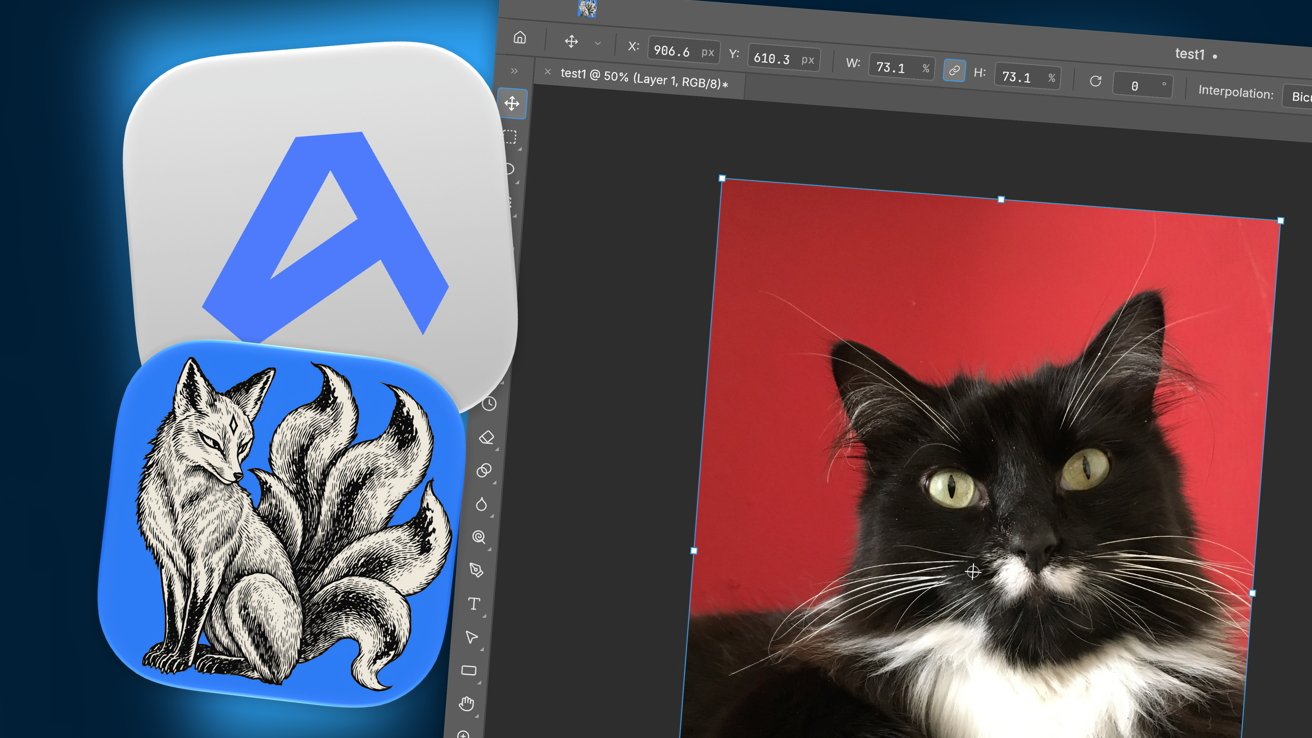
Recently, I came across the open-source project ArtCraft, where a single developer, with the help of Claude, has tried to recreate large parts of Adobe’s programs. The project is far from finished, and questions have already been raised about both the quality and the security of the AI-generated code. But that is not the point. The point is that one person can now attempt something that a few years ago required an entire development department. It is becoming ever easier to develop software by describing what the program should do instead of writing the code yourself. Vibe coding is a completely different way of obtaining software from what we are used to.
My thesis is that this will break the large programs into smaller pieces. Instead of one big system that has to cover everyone’s needs, and therefore fits everyone rather poorly, we will get many small programs, each of which solves one specific task for one particular user. And AI is then the engine that means you don’t need to be a programmer to build precisely the piece you are missing.
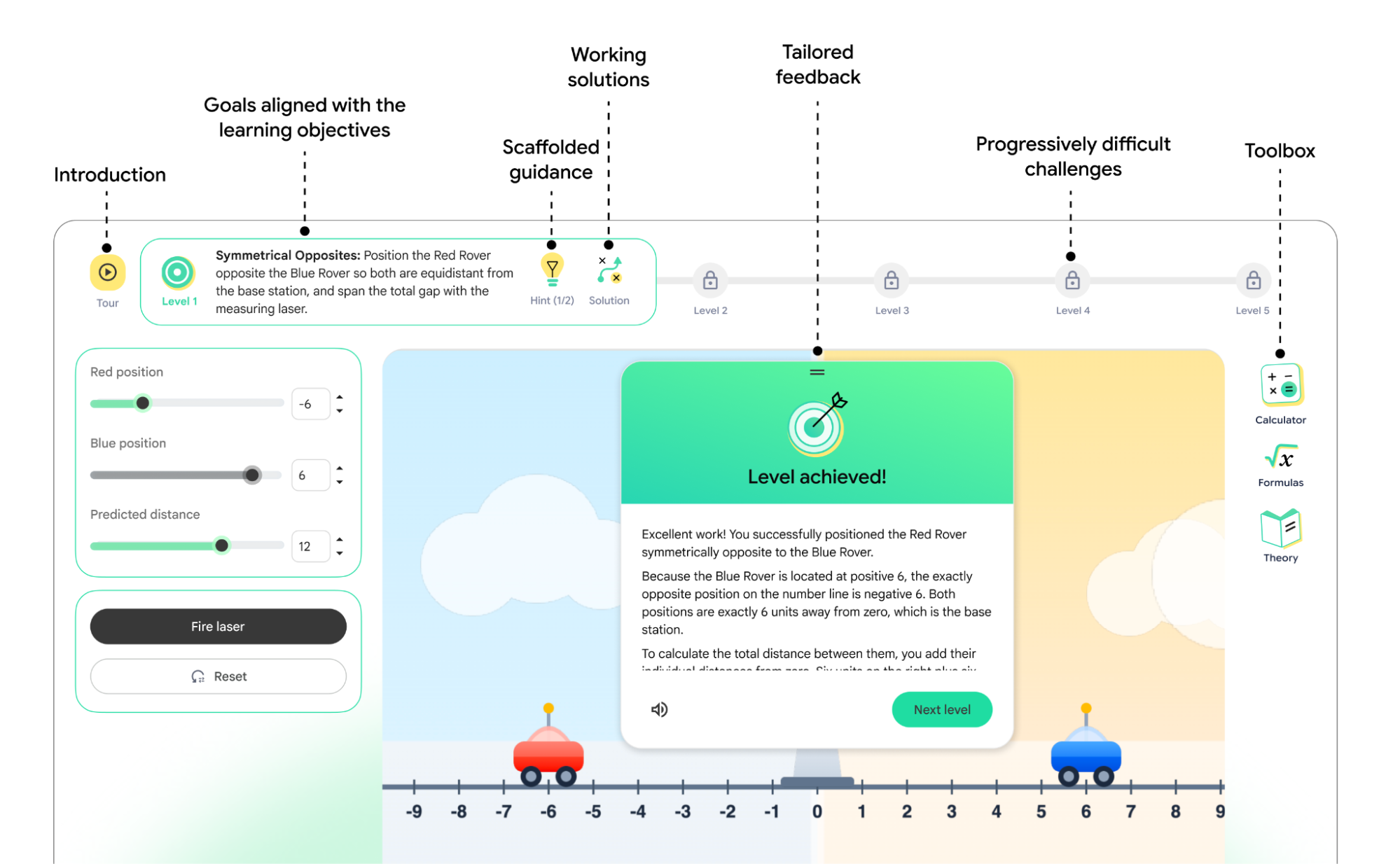
In September 2026, Google Research presented a project where educators can have interactive learning simulations developed based on their own subject goals. The teacher describes what the students should work on, and the technology then generates a simulation that can be used and adapted. These are still early examples, but they point in the same direction.
I actually think the same is happening on the administrative side; it just moves more slowly. Think about timetabling. Today we use large programs to make teachers, rooms and students fit together, and the result is fixed for six months at a time. But what happens if AI increasingly can handle the many constraints, so the timetable comes closer to each staff member’s everyday reality and becomes more dynamic? Or think about all the RPA programming we do out in schools. These are already processes rather than systems—small automations that solve one task, instead of large, monolithic IT systems built over many years. And I think the student administration system will end up as components the IT department assembles itself, rather than as ready-made software you buy.
From user to designer
In January 2025, I wrote about my own experiences with AI learning objects. Here I had developed some small programs that could give students individual constraints in their work with logo design and then provide feedback on what they had produced. In April the same year I wrote about the teacher as a digital pedagogical designer of learning resources. Since then, the technology has become significantly better, and it is no longer only small exercises you can have developed, but coherent applications.
Imagine a mathematics teacher who wants students to investigate the relationship between the coefficients in a quadratic equation and the shape of the parabola. Previously, the teacher had to go and find a program that could do just that. Now, instead, the teacher can describe how the students should work with the material, which subject-specific actions they should perform, and how the program should respond to their choices—and then the technology builds it.
And this is where it becomes interesting to me. Because what is primarily brought into play is not the teacher’s technical knowledge. It is the teacher’s subject knowledge: knowledge of what students typically misunderstand, and where in the material it is important that they struggle a little themselves—and no software vendor holds that knowledge. The teacher must still be able to judge whether the program does what it should, and where it fails. But it is a different kind of technical understanding from the one we have provided continuing professional development in to date.
In 2024, UNESCO published a competency framework for teachers’ use of AI, AI Competency Framework for Teachers. Here, the development of teachers’ AI competencies is described at three levels: Acquire, Deepen and Create. So it is not only about getting to know the technology and using it, but also about being able to create with it. UNESCO also emphasises that teachers must be able to evaluate and adapt AI tools based on pedagogical and ethical considerations. This points to a development where the teacher’s role is no longer only to choose between existing digital learning resources, but also to help shape them.
We have spent decades teaching teachers to use software developed by others. Perhaps, in future, we should spend more time teaching them to formulate what software they actually need.
What should the learning resource actually do?
But there is also a challenge in this, and we should not ignore it. When it becomes easier to create digital learning resources, it also becomes easier to create resources that do not support students’ learning.
A teacher can certainly build a program that helps students solve mathematical problems, but if the program takes over the subject-specific actions the students should have performed themselves, then it actually works against the purpose of the teaching.
In our book, Det umistelige, we write that we should not only ask what the technology can do; we must also ask what students should still be able to do and do themselves. Therefore, it is not enough for the teacher to be able to describe a program and have it built. The teacher must also be able to test it and assess whether it actually does what was intended. The pedagogical intention must steer the technology, not the other way round.
If teachers can themselves build the specific exercise, the simulation for that particular class, and the constraint for that particular student, then there is less reason to pay a per-student, per-year licence for software built to cover all subjects in all schools. What a teacher cannot build alone is the subject-specific quality assurance, the coherence across an entire sequence, and the operations that someone stands behind. That is still worth paying for. So publishers will not disappear, but in my view their product becomes less a finished learning resource and more a foundation the teacher builds upon. The only question is whether they want to be that foundation, or whether they will continue competing with something a teacher can make on a Tuesday afternoon.
What does it mean for the IT department?
If software becomes subject-specific components that staff build and choose themselves, then the IT department loses the governance tool we have used for many years—namely procurement. We can no longer simply decide that the school uses this system and not that one, because new tools keep coming in through the back door.
We already see this, where bring your own AI is everyday reality in most schools. Staff use AI tools that the IT department does not know about, sensitive data are entered into systems without data processing agreements, and the school’s old IT policies do not fit the reality we face now. The risk is breaches of GDPR and copyright, and ultimately of trust.
My answer is that the IT department must move from governing through procurement to governing through frameworks. Here I see four spaces we need to work within:
Approved tools What does the school provide, and what do we have agreements for?
Data classification What is public, what is internal, and what is confidential? Staff must be able to tell the difference.
No-go zones What must never be put into AI, regardless of the tool?
Not-permitted services Tools where we cannot vouch for where data end up. That list changes all the time, so the important thing is the criterion, not the names.
And I want to stress that this is not only an IT task, because it is a shared strategic task. The IT department can certainly build the frameworks, but it is the leadership and staff who must take ownership. Otherwise, it will just become yet another policy that lies unread in the staff handbook.
But I must also be honest and say that the four spaces are not sufficient, because they are about which AI services we may use. They do not say anything about what happens when a teacher develops a program themselves that students log in to. Then it is no longer enough to know which AI tool the teacher used to write the code. The school must also address the program itself. Who has access to it? Where are students’ data stored? Who maintains the program if the teacher changes jobs? And who is responsible if something goes wrong?
STIL (the Danish Agency for IT and Learning) has in fact already articulated much of this issue, in both the guidance on the lawful use of AI from 2025 and the mini-guide from January 2026. Here, STIL describes how schools, under the AI Act, are typically deployers when they use off-the-shelf solutions from a supplier. But the role may change if we develop AI systems ourselves or make substantial modifications to existing systems.
This is precisely the issue that becomes relevant when a teacher develops an application that pupils log into. Depending on the application’s function and use, the school may therefore assume a different role and a greater responsibility than with standard use of a procured AI service.
The guidance’s seven steps, from mapping and assessment of lawfulness to policies and professional development, are therefore not something we can leave solely to the supplier. It requires us to have the expertise ourselves and clear procedures for evaluating, approving and following up on the solutions we develop. And this is perhaps where one of the biggest tasks for schools’ IT departments will lie in the coming years.
IT becomes educational IT
So we return to my claim from the start. When software becomes something the teacher shapes themselves based on their professional expertise, IT is no longer primarily a question of running systems. It is a question of giving teachers a foundation they can build on, and frameworks within which they can build.
Perhaps schools should, to a greater extent, provide shared platforms where teachers can develop, trial and share their own teaching materials. And perhaps continuing professional development (CPD) should be less about learning specific software and more about strengthening teachers’ ability to design and evaluate digital learning activities.
This does not mean that technology will dictate more. On the contrary. For the first time in a long while, subject expertise and pedagogy have a real opportunity to take precedence over the software rather than the other way round. But this requires us as teachers and leaders to know what we want from teaching, and what pupils should still be able to do themselves.
As technology makes it easier to develop software, it is no longer technical skill that sets the limits. It is our ability to imagine what we actually need.